

What is adding prompts manually?
It’s the most direct way to add prompts: you type or paste the questions you want to track, one per line, and they’re added to the list on the New prompt page. Use it when you already know exactly which prompts you want to monitor.Step by step
1
Open the New prompt page
In the sidebar, click Monitored Prompts, then the New Prompt button in the top-right corner.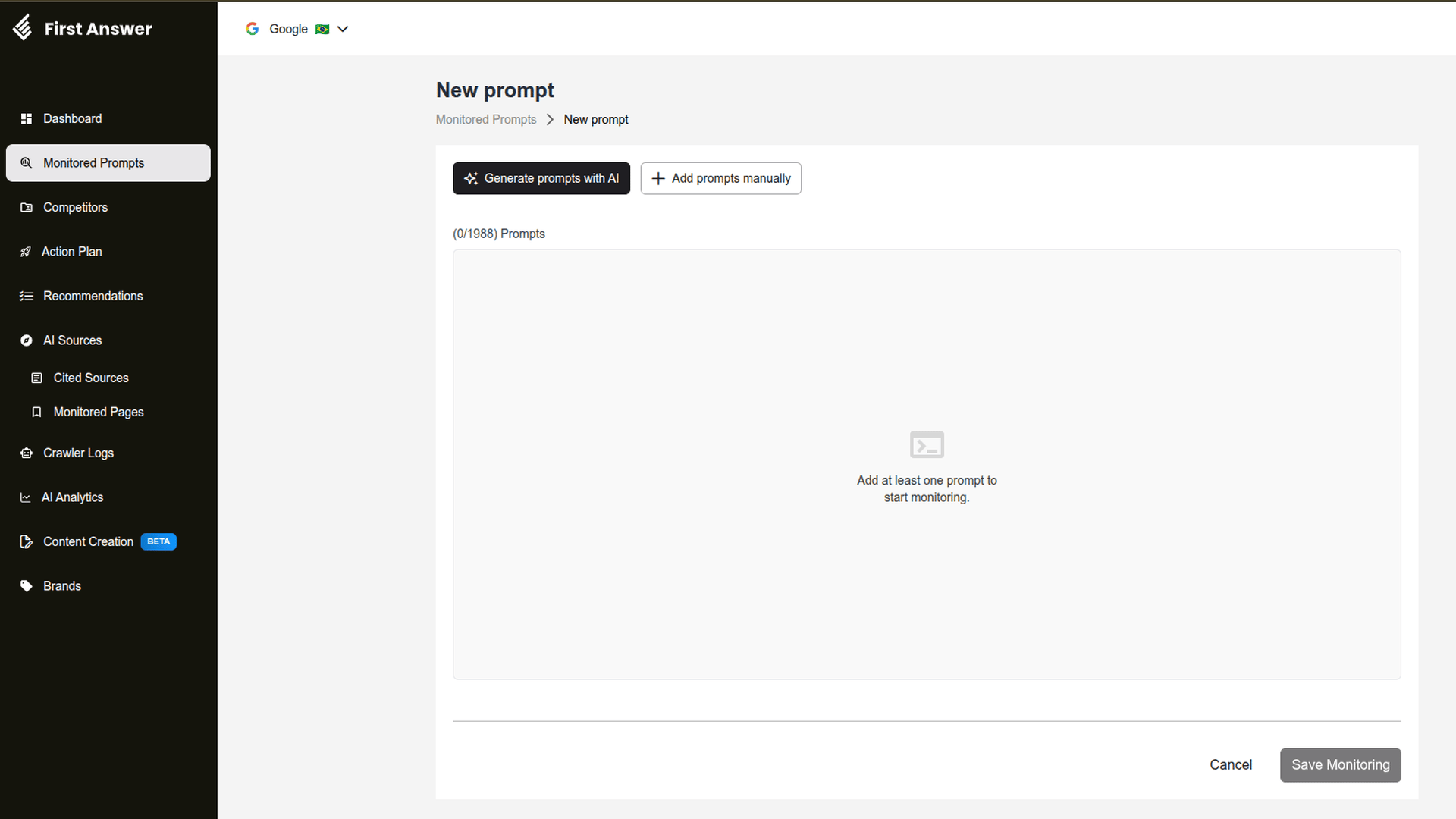
2
Open the add modal
Click Add prompts manually.
3
Type or paste the prompts
In the Prompts field, write one prompt per line. You can also paste a whole list from another file. Blank lines are skipped.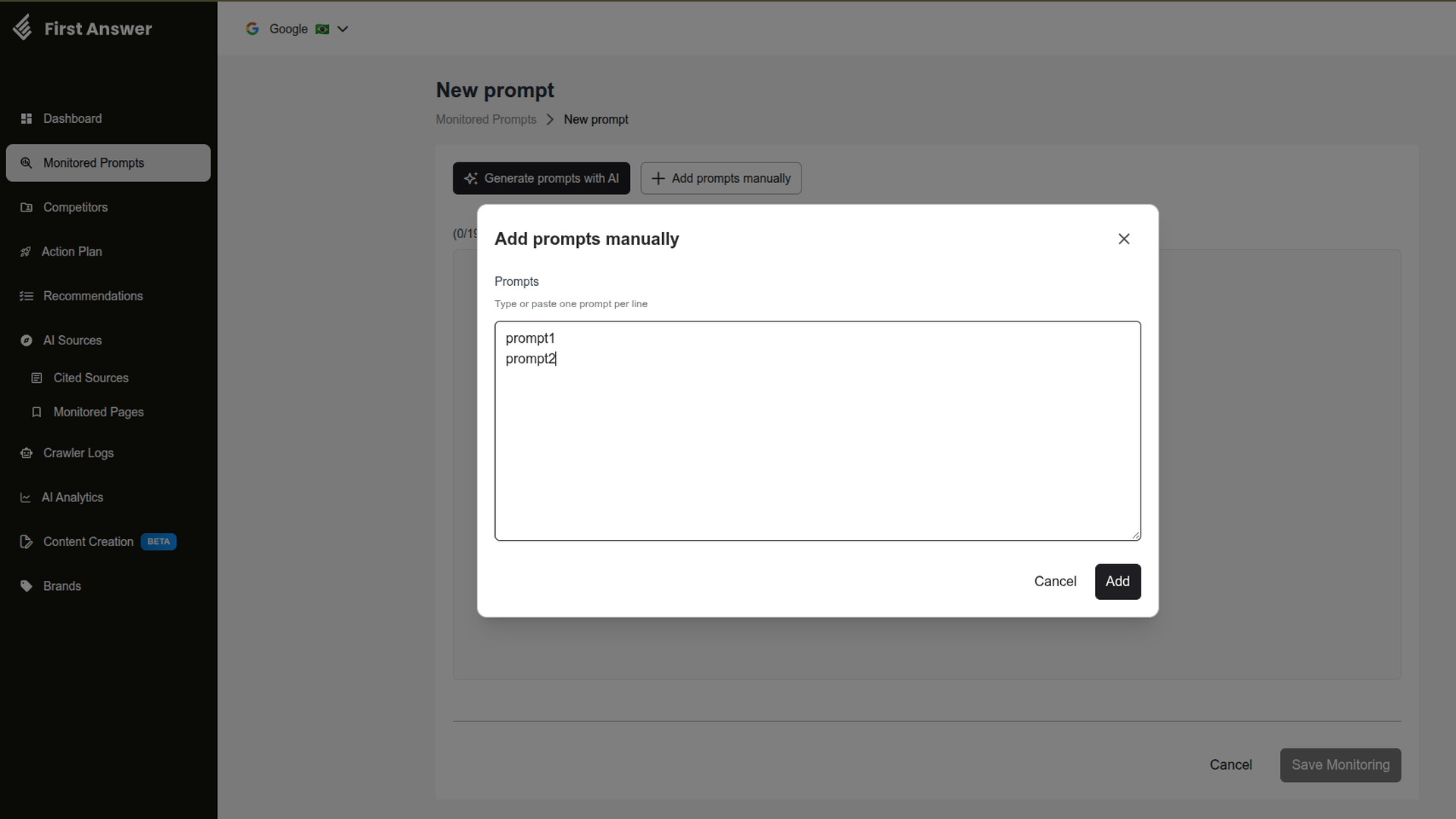
4
Add them to the list
Click Add. The prompts are added to the list on the page and the counter above it is updated.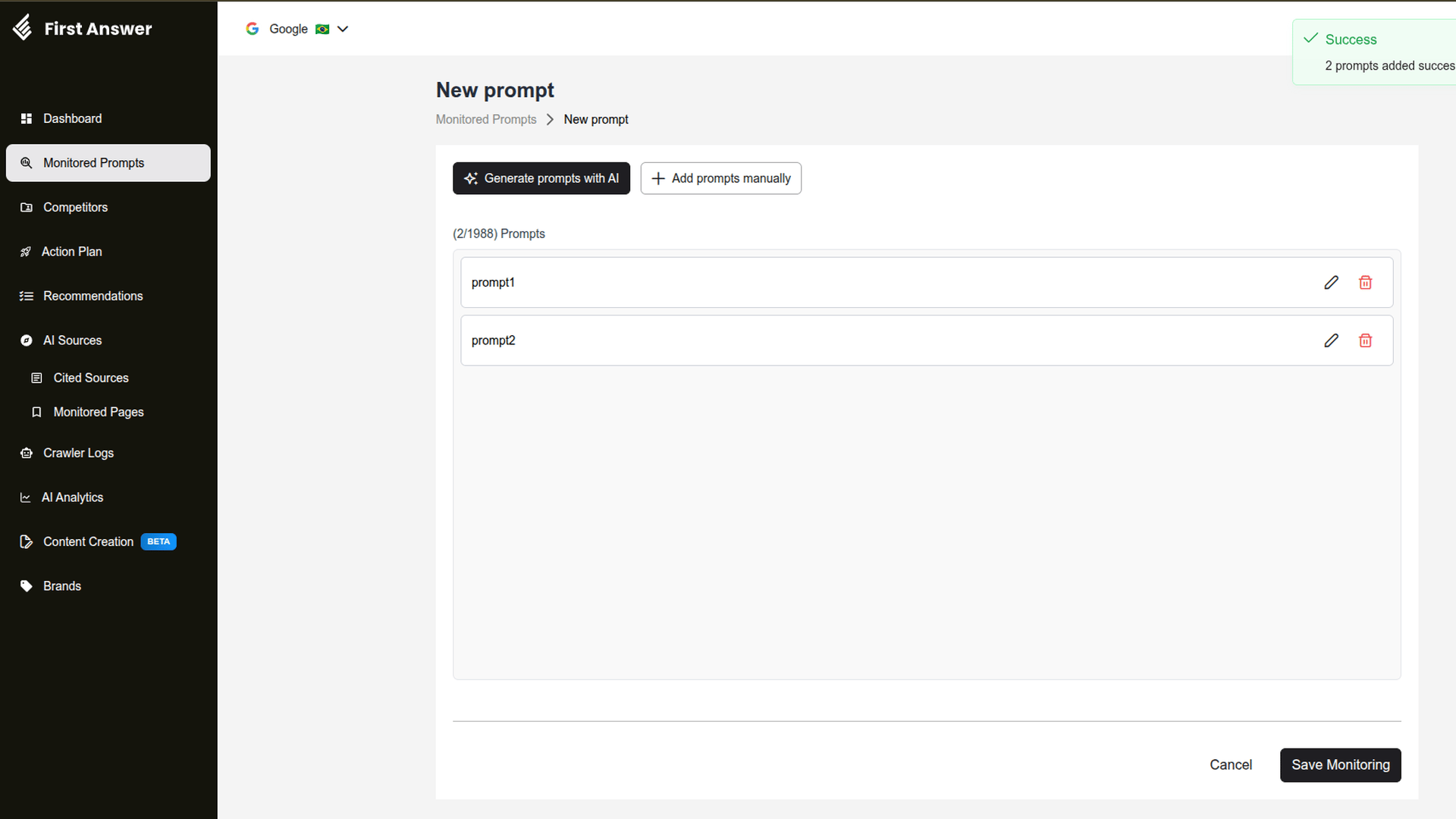
5
Review and save
Use the pencil to fix a prompt’s text and the trash can to remove it. When the list is ready, click Save Monitoring.
Nothing is saved until you click Save Monitoring. Once saved, the prompts appear in Monitored Prompts and the first metrics arrive after the next collection.
Plan limit
The counter above the list shows how many prompts you’ve added and how many still fit in your plan, for example (2/1988) Prompts.- If you paste more prompts than your plan allows, only the ones that fit are added.
- If you’ve already reached the limit, First Answer offers a plan upgrade before opening the modal.
Tips for writing good prompts
- Write the way your audience asks. Use full, natural questions, like “What’s the best search engine for academic research?”, not just loose keywords.
- Vary the intent. Mix discovery questions (“what is”), comparison questions (“which is the best”) and decision questions (“is it worth it”).
- Avoid repeating prompts. Two nearly identical questions get similar answers and use up plan slots.
- Organize later. Group prompts by topic in Prompt Groups to analyze visibility by subject.