

What is generating prompts with AI?
First Answer uses artificial intelligence to suggest prompts based on your brand profile. You pick the suggestion type, select the ones you want to track, and they’re added to the list on the New prompt page. It’s the fastest way to get started when you don’t know yet which questions to monitor.Suggestion types
Step by step
1
Open the New prompt page
In the sidebar, click Monitored Prompts, then the New Prompt button in the top-right corner.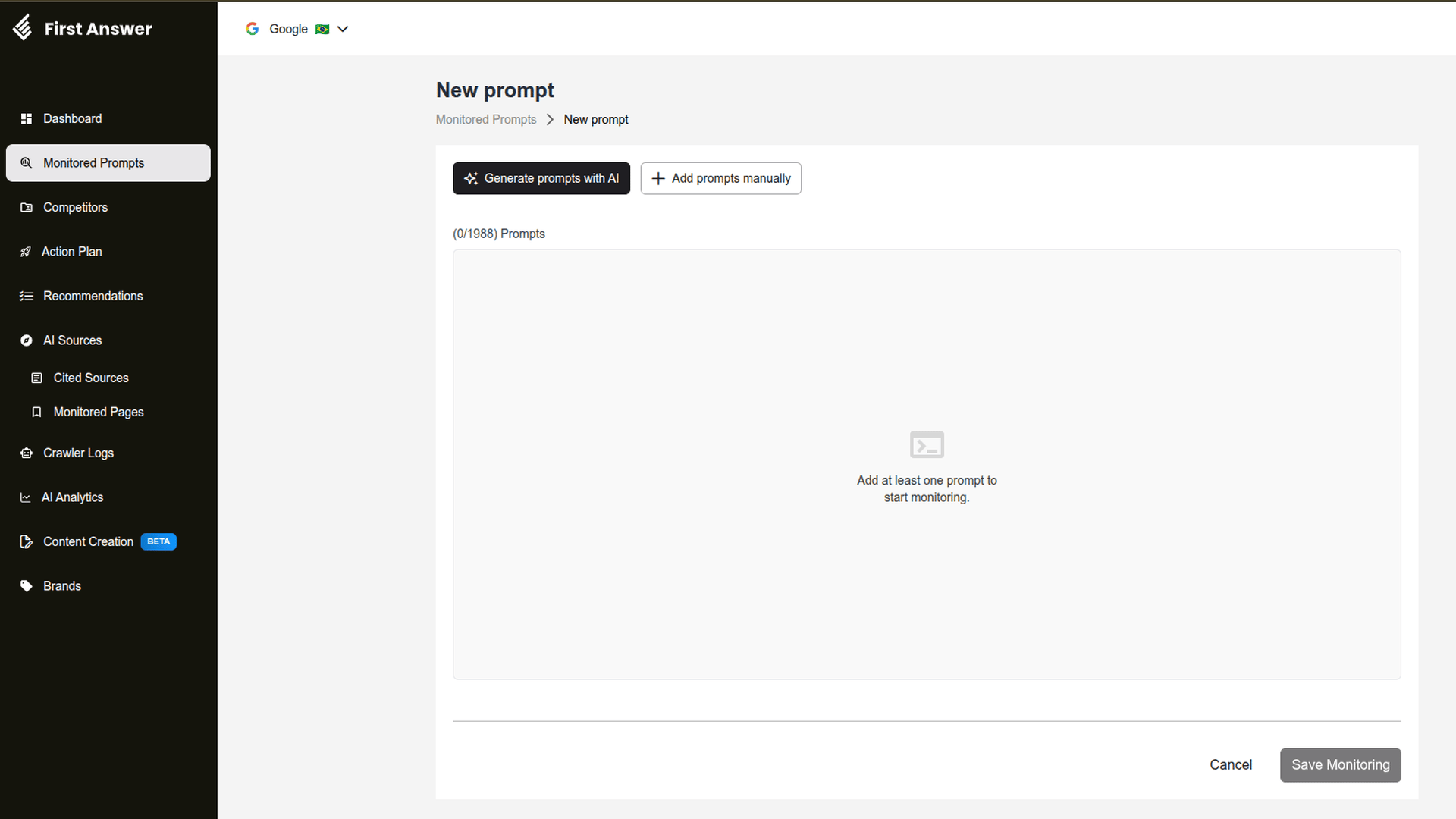
2
Pick the suggestion type
Click Generate prompts with AI and choose Organic Prompts, Comparison Prompts or Keyword-based Prompts. For the last one, type the keyword and click Generate prompts.
3
Select the prompts
The AI shows a list of suggestions, each with its type badge (for example, Organic). Select the ones you want to monitor. The button shows how many you picked, like Add 4 prompts.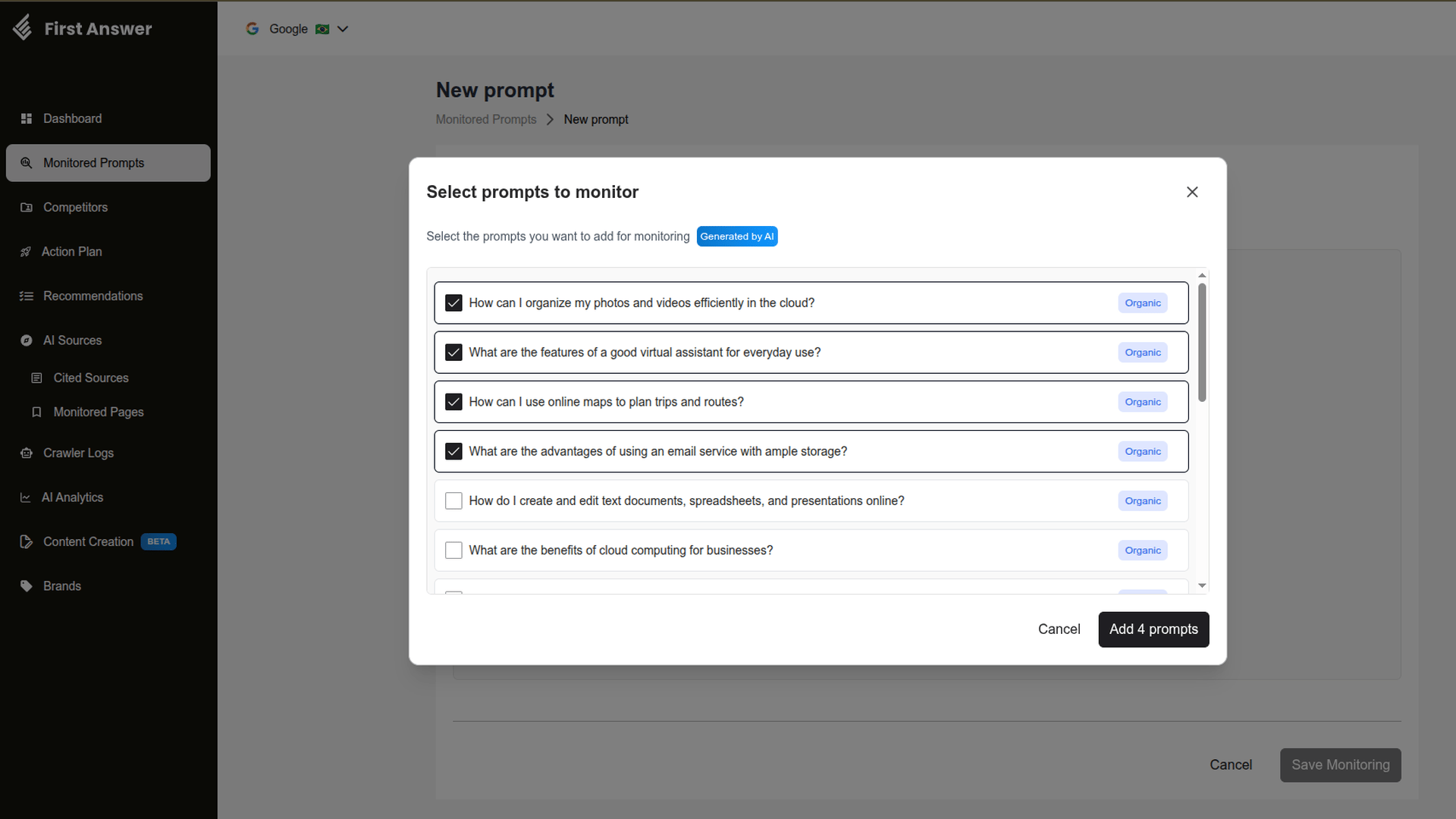
4
Add them to the list
Click Add N prompts. The prompts are added to the list on the page with the AI badge and their type badge.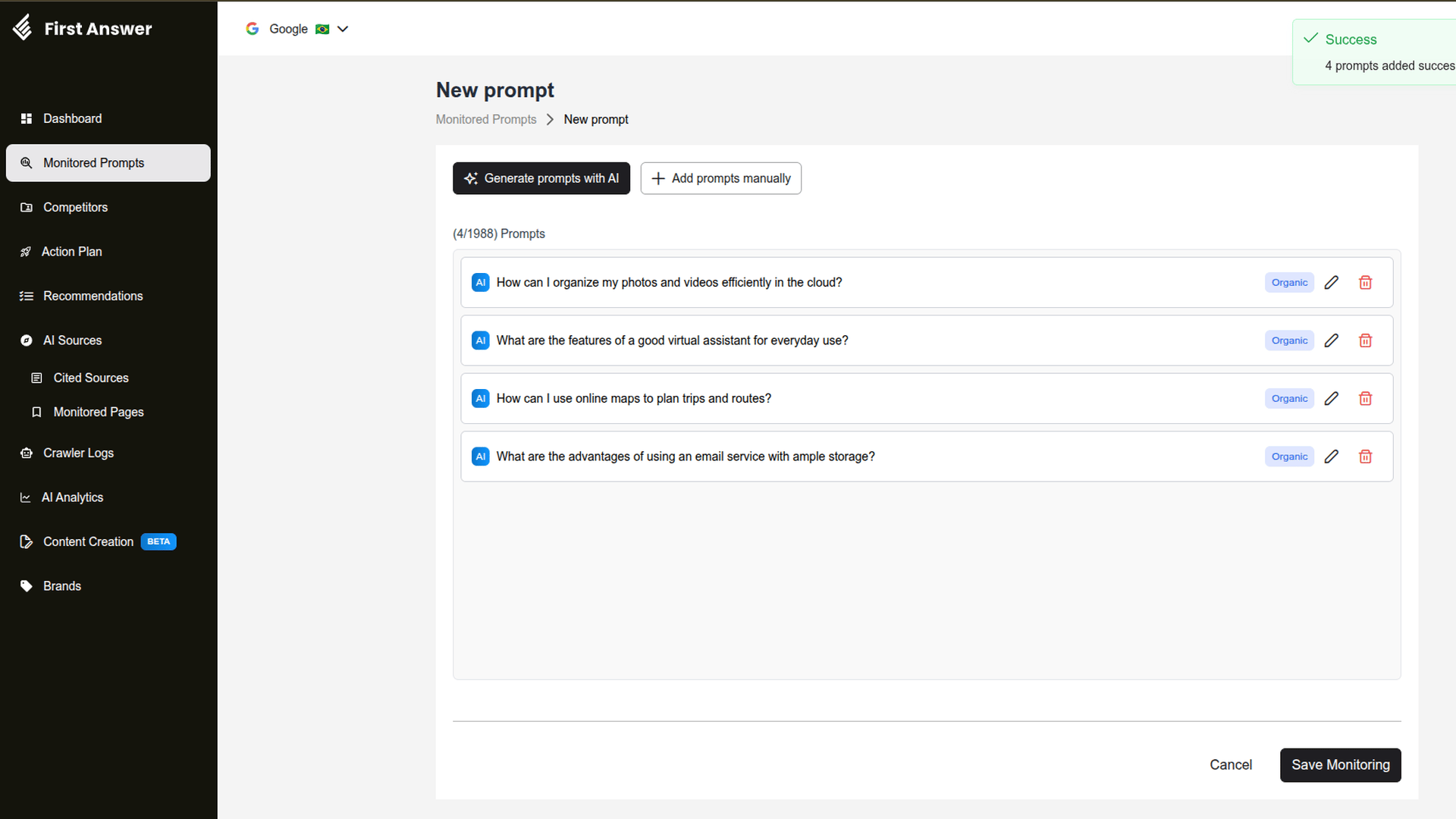
5
Review and save
Use the pencil to adjust a prompt’s text and the trash can to remove it. When the list is ready, click Save Monitoring.
Nothing is saved until you click Save Monitoring. Once saved, the prompts appear in Monitored Prompts and the first metrics arrive after the next collection.
Plan limit
You can only select suggestions while your plan has room. When you reach the limit, the remaining suggestions are disabled and the modal shows the Don’t miss out on monitoring more prompts! notice, with a See plans button to upgrade.Tips
- Combine the types. Generate organic prompts to cover brand discovery and comparison prompts to track competitors.
- Use keywords for niches. A keyword like “cloud storage” generates questions focused on one product or topic.
- Edit before saving. Suggestions are a starting point: tweak the text so it sounds like your audience.
- Mix with your own list. You can generate with AI, add manually and import from a spreadsheet on the same page before saving.