> ## Documentation Index
> Fetch the complete documentation index at: https://docs.firstanswer.ai/llms.txt
> Use this file to discover all available pages before exploring further.
# Monitored Pages
> Track specific web pages to see how often they are cited by AI models in responses to your monitored prompts.
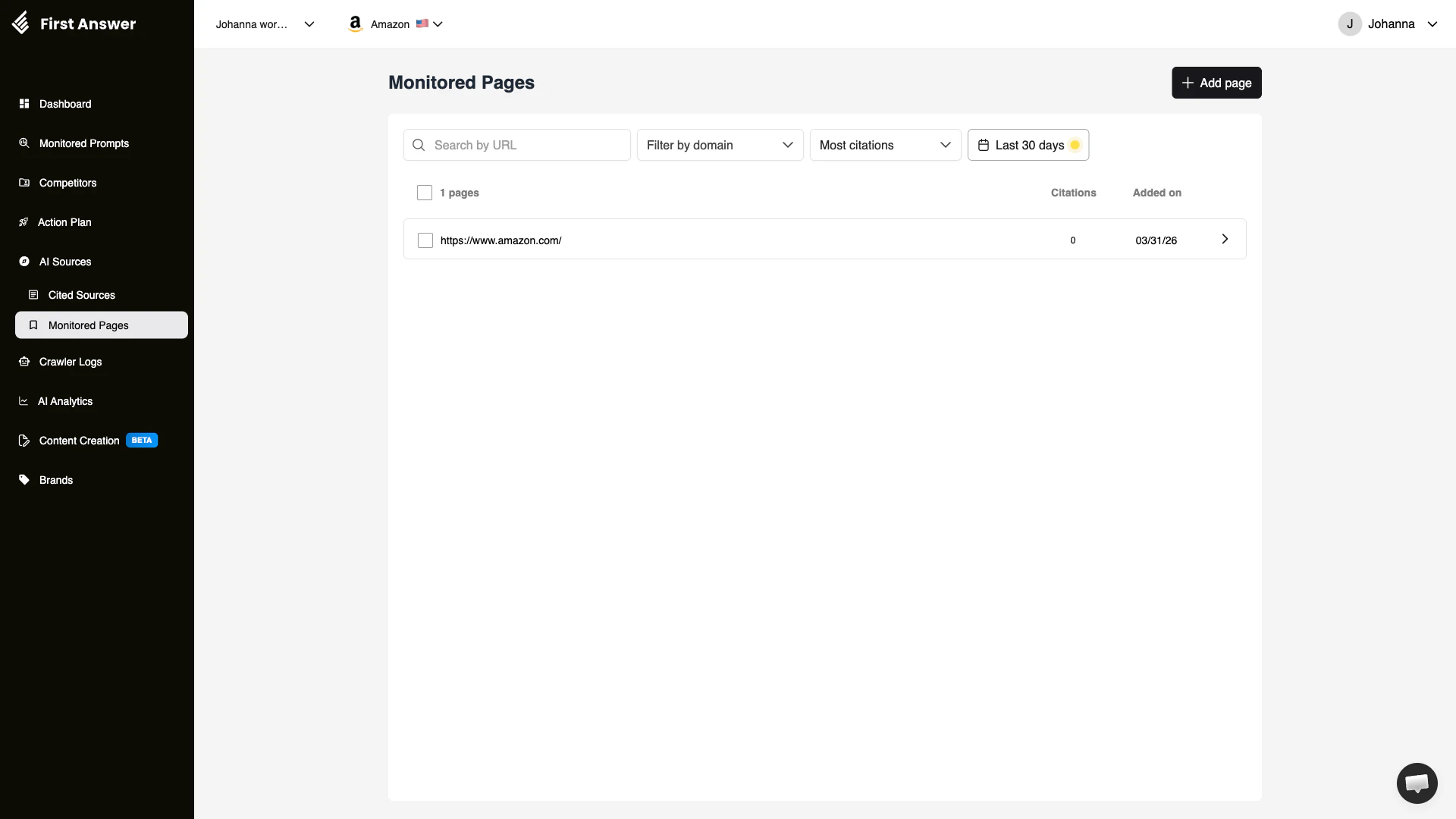 ## What are Monitored Pages?
While [Cited Sources](/features/cited-sources) gives you a broad view of all domains cited by AI models, Monitored Pages lets you **zoom in on specific URLs** that matter to your brand. You can track individual pages — your own blog posts, landing pages, competitor content, or industry articles — and see exactly how often AI models cite them.
This is especially useful when you publish content specifically designed to improve your AI visibility. By monitoring the page, you can measure whether AI models actually pick it up and cite it in their responses.
## How it works
You add specific URLs to your monitoring list. First Answer then cross-references these URLs against all AI responses collected for your monitored prompts. When an AI model cites one of your monitored pages, it is recorded and tracked over time.
## Filters and search
| Filter | Description |
| -------------------- | ------------------------------------------------------- |
| **Search by URL** | Find a specific page in your monitored list |
| **Filter by domain** | View only pages from a specific domain |
| **Sort** | Order by most citations, most recent, or alphabetically |
| **Date range** | Filter citations to a specific time period |
## Key concepts
### Your pages vs. competitor pages
You can monitor both your own pages and competitor pages:
* **Your pages**: Track which of your content AI models cite. This helps you measure the effectiveness of your content strategy for AI visibility.
* **Competitor pages**: Track competitor content that gets cited in AI responses to your prompts. Understanding what content AI models trust from competitors helps you create better content.
### Citation frequency
Not all pages are cited equally. Some pages may be cited by multiple AI models for many prompts, while others are cited only occasionally. Citation frequency helps you identify your most influential content.
### Content lifecycle
AI models refresh their sources over time. A page that was heavily cited last month may lose influence as newer content emerges. Monitoring pages over time helps you understand the lifecycle of your content's AI influence.
## How to use Monitored Pages
Click **+ Add page** and enter URLs of pages you want to track. Start with your most important landing pages, product pages, and blog posts.
From the [Cited Sources](/features/cited-sources) page, identify competitor pages that are frequently cited. Add them to your monitored pages to track their influence over time.
After publishing new content aimed at improving AI visibility, add the URL to monitored pages and track how quickly and frequently AI models begin citing it.
Monitor for pages whose citation count drops over time. These may need content refreshes or updates to maintain their AI influence.
When you create new content targeting a specific monitored prompt, add the page URL to Monitored Pages immediately. This creates a direct measurement loop between your content efforts and AI citation results.
## What are Monitored Pages?
While [Cited Sources](/features/cited-sources) gives you a broad view of all domains cited by AI models, Monitored Pages lets you **zoom in on specific URLs** that matter to your brand. You can track individual pages — your own blog posts, landing pages, competitor content, or industry articles — and see exactly how often AI models cite them.
This is especially useful when you publish content specifically designed to improve your AI visibility. By monitoring the page, you can measure whether AI models actually pick it up and cite it in their responses.
## How it works
You add specific URLs to your monitoring list. First Answer then cross-references these URLs against all AI responses collected for your monitored prompts. When an AI model cites one of your monitored pages, it is recorded and tracked over time.
## Filters and search
| Filter | Description |
| -------------------- | ------------------------------------------------------- |
| **Search by URL** | Find a specific page in your monitored list |
| **Filter by domain** | View only pages from a specific domain |
| **Sort** | Order by most citations, most recent, or alphabetically |
| **Date range** | Filter citations to a specific time period |
## Key concepts
### Your pages vs. competitor pages
You can monitor both your own pages and competitor pages:
* **Your pages**: Track which of your content AI models cite. This helps you measure the effectiveness of your content strategy for AI visibility.
* **Competitor pages**: Track competitor content that gets cited in AI responses to your prompts. Understanding what content AI models trust from competitors helps you create better content.
### Citation frequency
Not all pages are cited equally. Some pages may be cited by multiple AI models for many prompts, while others are cited only occasionally. Citation frequency helps you identify your most influential content.
### Content lifecycle
AI models refresh their sources over time. A page that was heavily cited last month may lose influence as newer content emerges. Monitoring pages over time helps you understand the lifecycle of your content's AI influence.
## How to use Monitored Pages
Click **+ Add page** and enter URLs of pages you want to track. Start with your most important landing pages, product pages, and blog posts.
From the [Cited Sources](/features/cited-sources) page, identify competitor pages that are frequently cited. Add them to your monitored pages to track their influence over time.
After publishing new content aimed at improving AI visibility, add the URL to monitored pages and track how quickly and frequently AI models begin citing it.
Monitor for pages whose citation count drops over time. These may need content refreshes or updates to maintain their AI influence.
When you create new content targeting a specific monitored prompt, add the page URL to Monitored Pages immediately. This creates a direct measurement loop between your content efforts and AI citation results.